Everything LockSet does
Area by area, in plain words. Items marked Pro are part of LockSet Pro; everything else is free.
Logging a workout
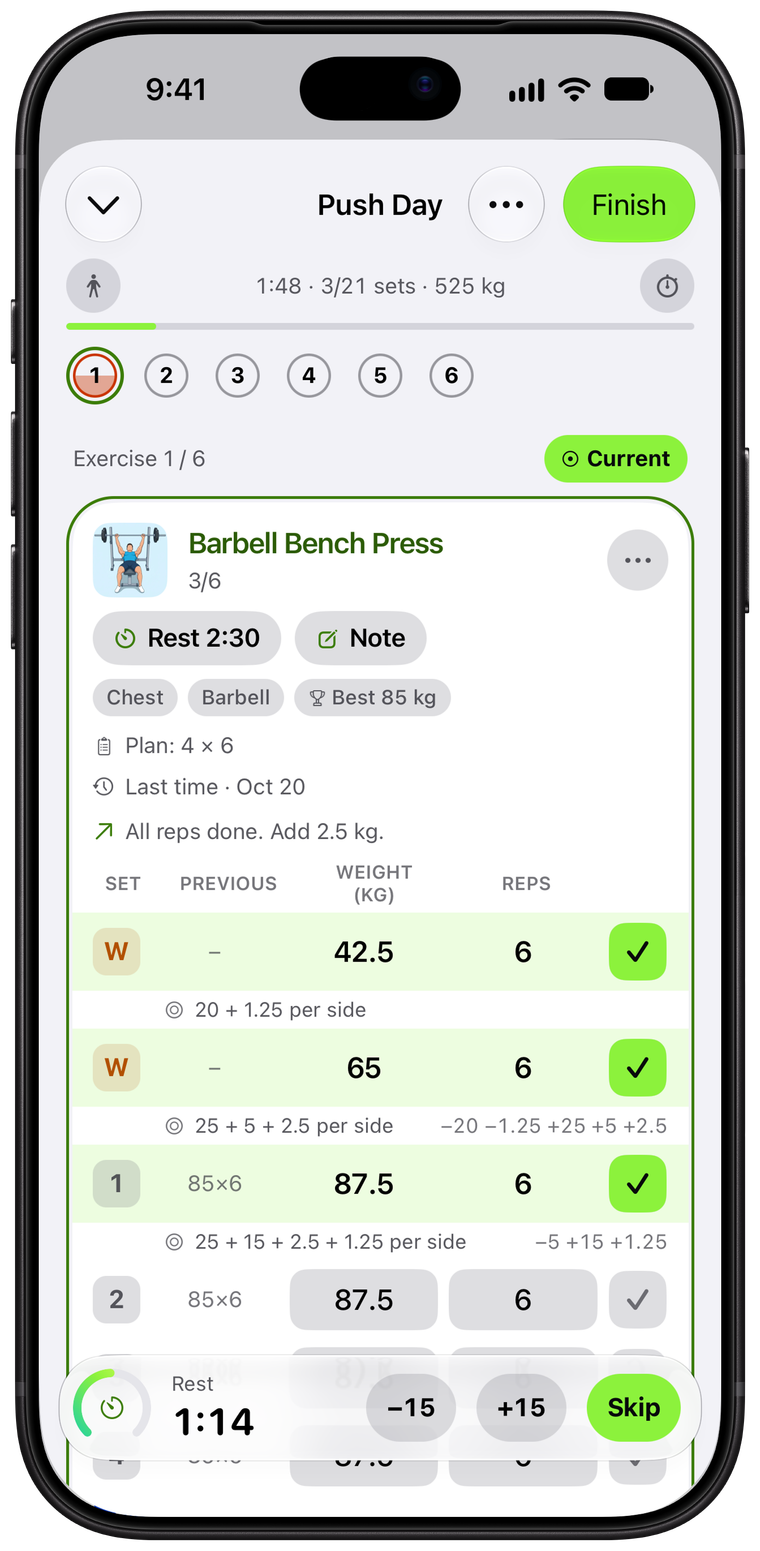
Fast on the gym floor, with everything from last time in view.
-
Every kind of set
Weight × reps, bodyweight with added load, assisted, timed holds and cardio with time, distance, speed and incline.
-
A keypad for the gym
Plus and minus steps that follow your plates and dumbbells, and a Next key that moves down the sets.
-
Rest timer that starts itself
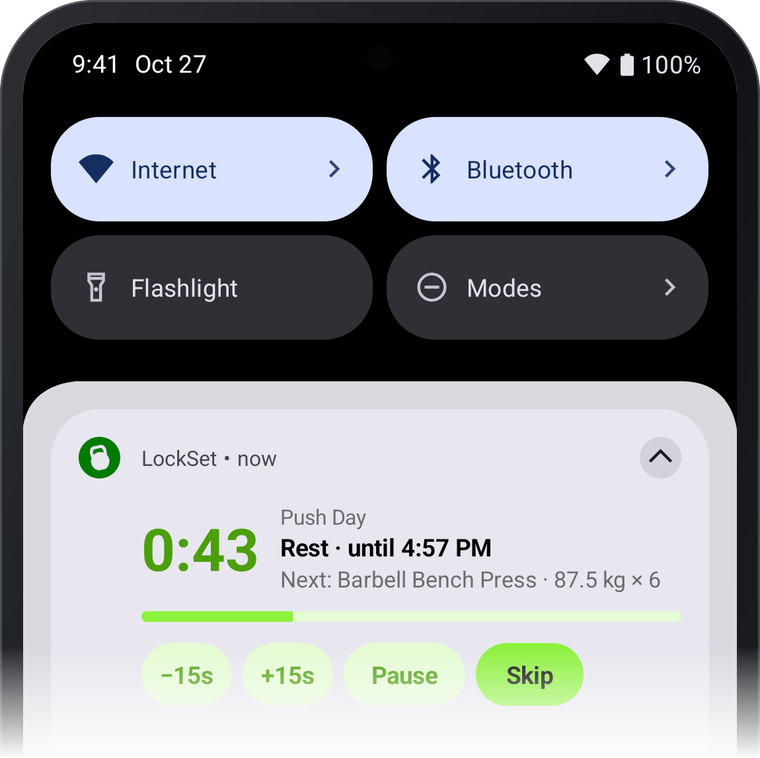
Its length comes from the exercise, superset or warm-up. Add or take 15 seconds, pause or skip. It keeps time even if the app closes.
-
Rest alerts you notice
Six sounds, a countdown tick, vibration and a screen flash, even on silent. Notification buttons to pause, add time or skip.
-
Last time on every row
Previous weights and reps per set, tap to copy them, with your best set and the plan’s target beside them.
-
Warm-ups that ramp
Warm-up sets climb toward your work weight, never below the empty bar. Turn on automatic warm-ups for your main lifts or every loaded lift.
-
Supersets
Pair exercises, take turns round by round, and rest once per round.
-
Drop sets, rest-pause and failure
Mark them as you go. Partial reps are logged but never count toward records or progression.
-
One side at a time
Left and right rows for unilateral work, and timed holds that switch sides.
-
RIR or RPE
Rate each set’s effort if you want to. It’s off until you turn it on.
-
Plate math
What to add or strip from the bar, from your own plate and dumbbell inventory.
-
Notes that come back
A note for today, for next time, or for every time you do that exercise, and a note on any single set.
-
Beat last time, and see it
Tick a set that beats the same set last time and a short line says by how much, or that it’s a new record.
-
Pause and resume
Pause for a call or a break. A running rest waits with it, and paused time doesn’t count.
-
Still training?
Forget to finish and LockSet asks after a quiet spell you choose. With no answer it ends the workout at your last set, and you can reopen it.
-
Four layouts
List, cards, compact, or focus: one set at a time with big controls.
-
Change it mid-workout
Add, swap, move or remove exercises, and update the routine from what you did.
-
A summary worth reading
New records and what they beat, the muscles you trained, and last time against next time for each lift.
-
Interval timer Pro
Tabata, EMOM, AMRAP and circuits, full screen, with sounds and haptics.
-
Spoken cues and a tempo guide Pro
Hear your rest, the next set and when to switch sides, and a tempo guide that counts every rep.
-
Made for sweaty hands
Left-handed layout, Increase contrast, text up to twice the size, the screen kept awake and haptics on every key.
Plans and progression
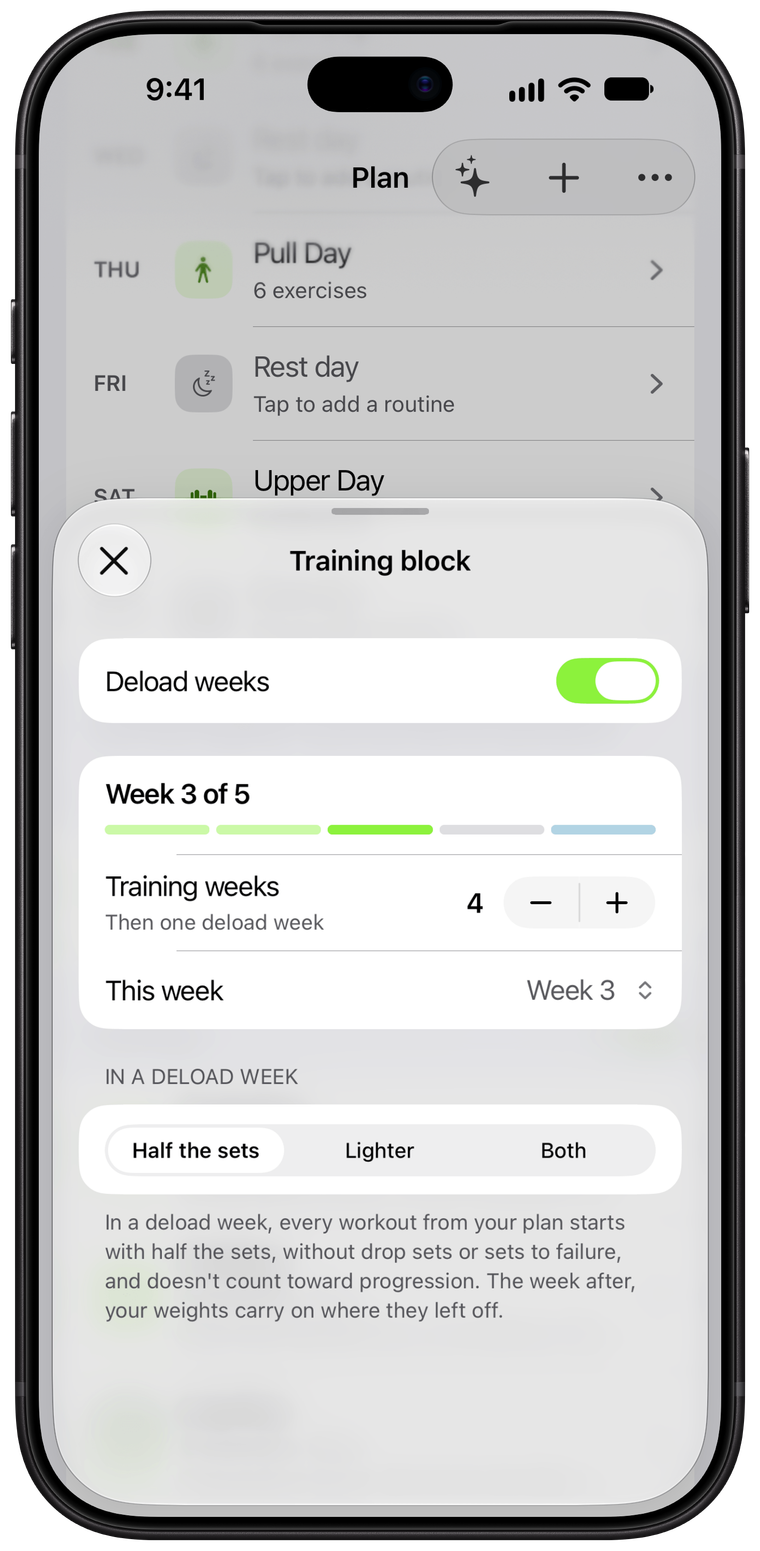
A plan that knows what’s next, and how much to lift.
-
Weekly or rotation
Routines on fixed weekdays, or a loop where the next routine is always next.
-
Routine folders
Group routines into folders on Plan, and fold away the ones you’re not using.
-
A muscle map for every session
The muscles each routine works, on Plan, and today’s on Home.
-
Starter plans
GZCLP, 5/3/1 BBB, PHUL, dumbbell full body, home bodyweight and more, fitted to your equipment.
-
Progression rules
Linear, double, triple and Greyskull, per routine or per exercise, with deloads and back-off sets.
-
Steps that follow your effort
Easy sessions step up more, grinders hold, from the RIR or RPE you log.
-
Training-max waves Pro
Waves that move your training max, with an optional AMRAP top set.
-
Training blocks Pro
Weeks of work and a deload week. Deload workouts don’t count toward progression.
-
Myo-reps and tempo Pro
Myo-rep clusters with short rests, and a tempo like 3-1-X-0 per exercise.
-
Every setting per exercise
Rep ranges, pyramids, warm-ups, rest, per side, failure, and alternatives to swap in.
-
Life happens
Move a session to another day, and mark days as sick, travelling or injured so streaks forgive them.
-
Share a plan
As a file, a PDF or a QR code a friend can scan.
-
Gyms and equipment
Tell LockSet what each gym has: exercises and plans adapt. One gym free, more with Pro.
-
Weekly volume per muscle
Planned sets for each muscle across your week.
Progress and stats
Proof that the work is working.
-
Charts for every exercise
Top set, every set, effort, max reps and volume, over the last 30 or 90 days.
-
All-time and custom ranges Pro
A year, all time, or your own dates.
-
Estimated 1RM trends Pro
Your estimated one-rep max over time, from eight formulas.
-
Records
Rep maxes and lifetime totals for each exercise, and PR badges in your history.
-
Records timeline Pro
Every record you set, workout by workout.
-
Sets per muscle
This week’s hard sets per muscle, planned against done, on a body map.
-
Recovery map Pro
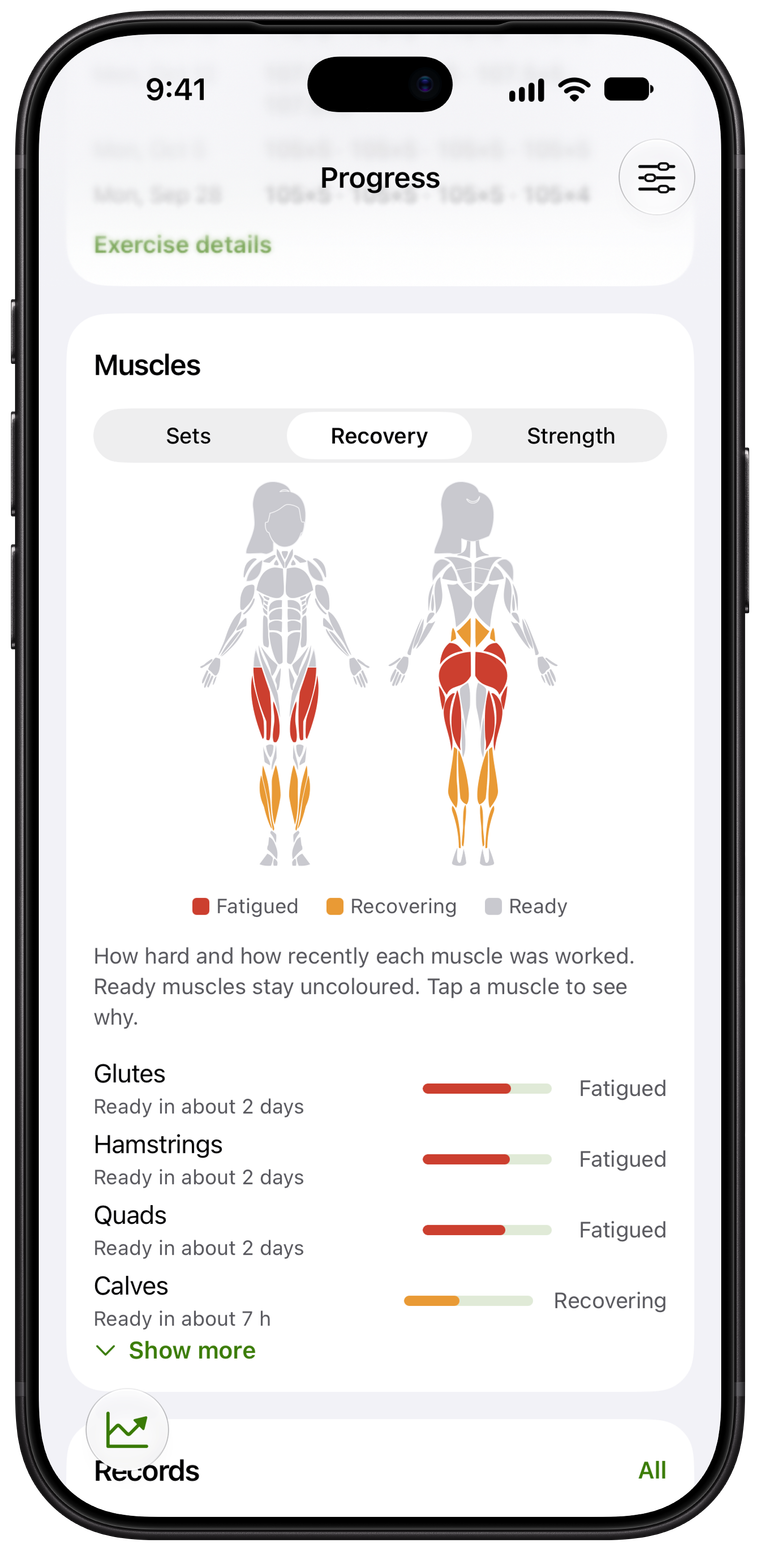
Which muscles are ready, recovering or fatigued, from what you lifted.
-
Strength and balance Pro
Strength per muscle, a warning when it drops, and structural balance against proven ratios.
-
Strength levels Pro
Your squat, bench press, deadlift and overhead press against your body weight, from Beginner to Elite.
-
Weekly targets per muscle Pro
A range of sets for each muscle, this week’s sets against it, and the muscles with the most room left.
-
Heart-rate zones Pro
Zones for each workout and activity, and heart rate by set, from Apple Health or Health Connect. Average and peak are free.
-
Performance reports Pro
A PDF of any period, each figure against the period before.
-
A year at a glance
A heatmap of every training day by time, volume or sets.
-
Streaks and a weekly goal
Week streaks that excuse sick and travel weeks, and a goal dial.
-
Body weight
Weigh-ins on any day, past ones included, weekly averages and a goal with an estimated date.
-
Measurements and photos
Measurements with notes and your own units, progress photos on any day, and a before and after slider you can share as one picture.
-
Up to 9 photos side by side Pro
Compare up to nine progress photos and share them as one picture.
-
Log recovery
Sauna, ice bath, massage, mobility or an easy walk, with how long and a note.
-
Your own Home
Show, hide and reorder the cards on Home and Progress.
Activities and climbing
25 built-in activities, or create your own, in the same log as your lifting.
-
25 built-in activities
From running, cycling and swimming to yoga, padel, boxing and skiing, timed live or logged after.
-
Your own activities
Your own icon, up to two number fields, distance or a grade scale, a Health type and the muscles it works.
-
Bouldering and rope climbing
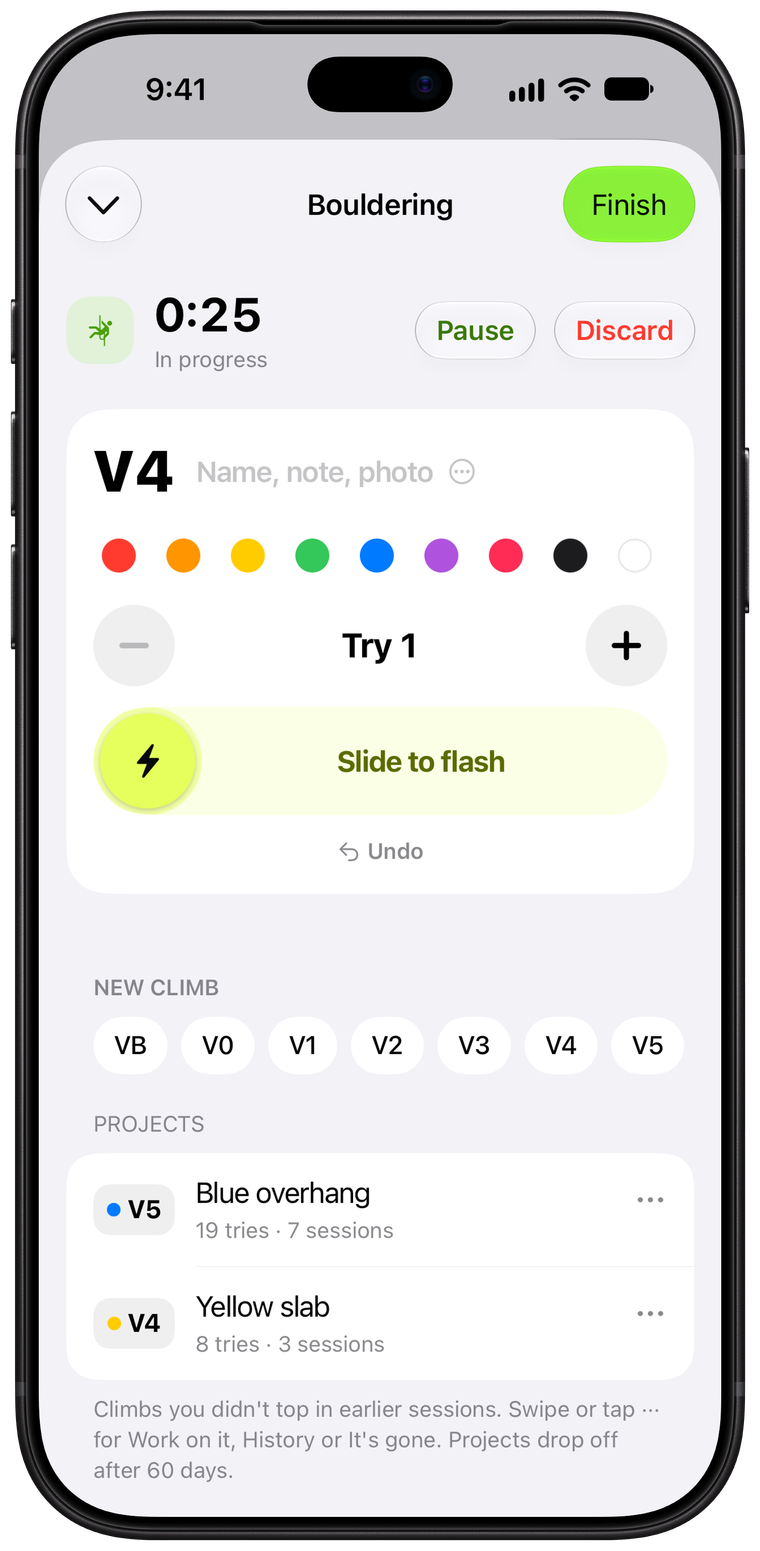
Each problem or route with its grade and tries. Slide to flash, or log a send after falls.
-
Projects
What you didn’t top carries over to your next sessions, for 60 days after your last try.
-
Your gym’s grades
V-scale, Fontainebleau, YDS, French, or your gym’s own colours.
-
Grade pyramid and hardest sends
Over the last 30 or 90 days; a year, all time or your own dates with Pro.
-
Past projects Pro
Every project that ended, topped or reset, with Bring it back. Older than 90 days with Pro.
-
Counts toward your goal
Activities count for the weekly goal and the streak: all of them, only planned ones, or none.
-
Planned like workouts
Put activities on your week, at a time, with a reminder.
-
Share and export
Share cards for any activity, a grades card for climbs, and a .fit file for Garmin Connect.
-
From your watch
Workouts from Apple Health and Health Connect come in as activities, merged with the ones you logged.
History
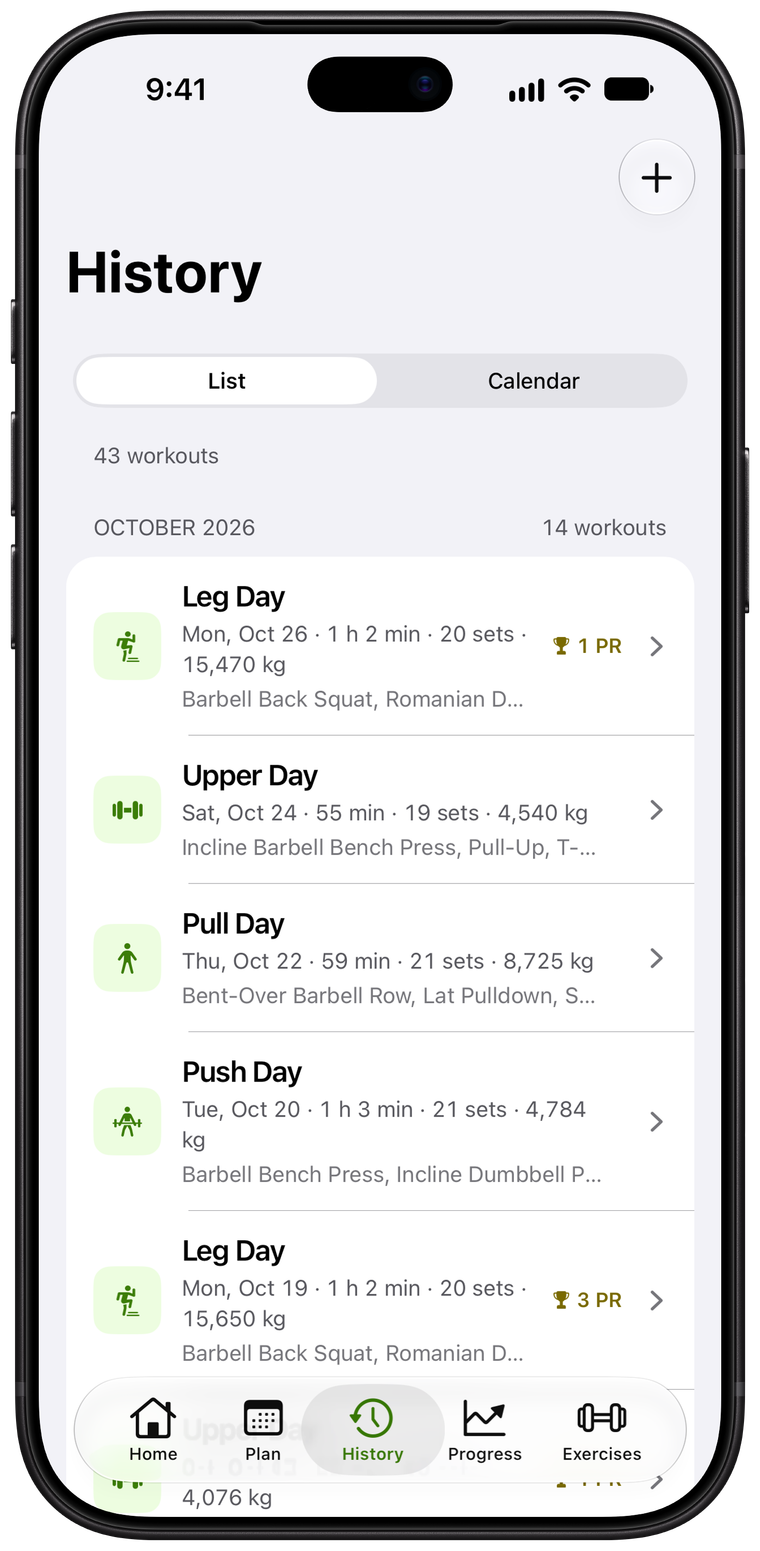
Every session, editable and searchable by date.
-
List and calendar
Newest first with duration, sets, volume and records, or a month calendar with totals.
-
Workout detail
Records and what they beat, supersets, notes, photos and videos, and heart rate from Health.
-
Edit the past
Change sets, the date, the time or the duration of any workout.
-
Log a past workout
Add a session you did without the app, with no timers running.
-
Repeat or save as a routine
Do it again today, or turn it into a routine.
-
Share cards
Designed cards for a workout, a record, a streak or the muscles you trained.
-
A workout as a PDF
One clean page with every set and note, to print or send.
-
Garmin .fit export
Export a workout as a .fit file.
Exercise library
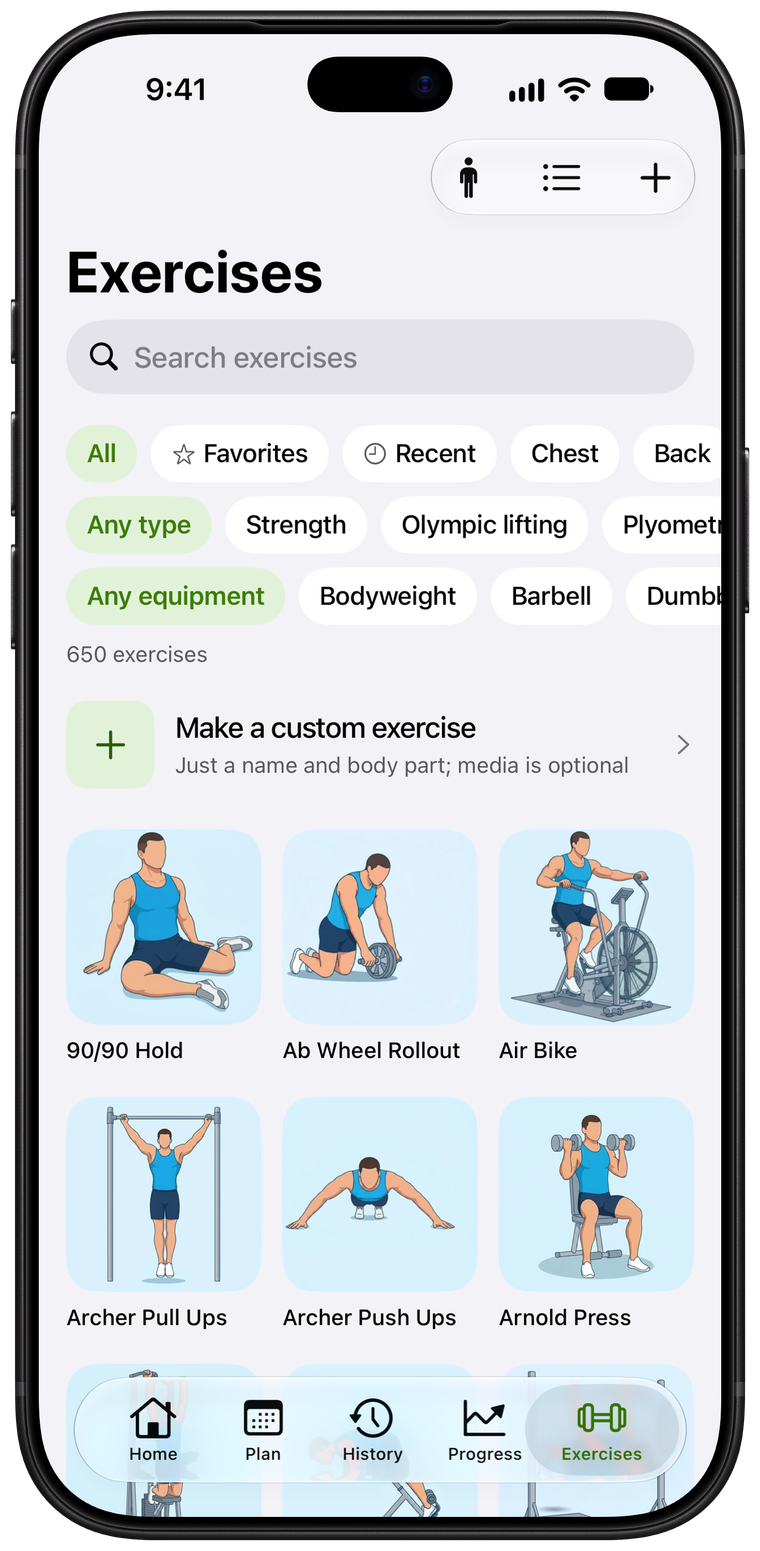
701 illustrated exercises, 928 more to search, and as many of your own as you like.
-
701 illustrated exercises
Illustrations, muscles, equipment, difficulty, steps and tips, in English and Spanish.
-
928 more
An extended library with steps and muscles but no illustrations. They log, count and keep records like any exercise.
-
Variants
Incline, close grip, sumo, rope and more as versions of one exercise, each with its own records.
-
Search that forgives
Typos, plurals, both languages and gym shorthand like db, rdl or ohp.
-
Filters
Favourites, recent, body part, type and the equipment you own, as a list or a picture grid.
-
By muscle
Tap a muscle on the body map: what targets it and what also trains it.
-
Your history per exercise
A chart, records, rep maxes and a one-rep-max calculator on every exercise.
-
Custom exercises
Unlimited and free, with muscles, equipment, a photo, GIF or video, and a link.
The AI assistant
Optional, off by default, on every plan with your own AI key, and the only feature that sends your training online.
How to get an API key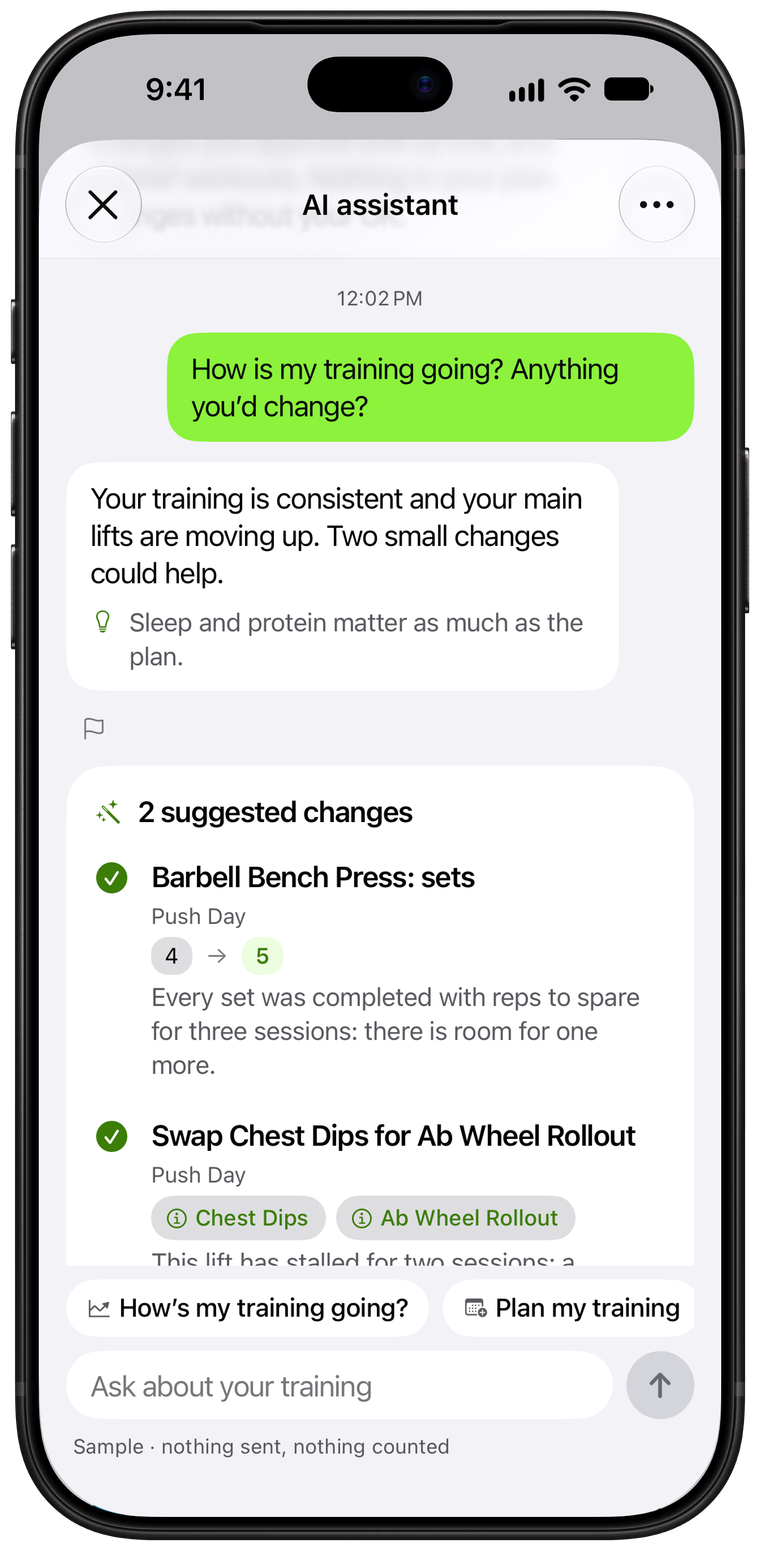
-
Reviews your training
It reads your plan and log, and suggests changes with the reason for each.
-
Drafts plans
Answer a few quick questions and it drafts a plan, new exercises and activities included.
-
You approve every change
Before and after for each one. Apply or skip them one by one, and undo.
-
Your provider, your key
OpenAI, Anthropic, Google Gemini, or your own OpenAI-compatible server.
-
Consent first
Before anything is sent, you see exactly what goes and to whom.
-
A key kept safe
Stored in the Keychain or Keystore, never in backups, and only sent to your provider.
-
A daily limit
A cap on messages per day, a guard against surprise costs.
-
Try it first
A sample conversation works without a key and sends nothing.
Trainer mode
New in 1.0, and an experiment. One log per client on your phone, with check-ins sent as encrypted files. Works offline, and nothing goes through us.
Coach more than 3 clients? Tell me what you’d need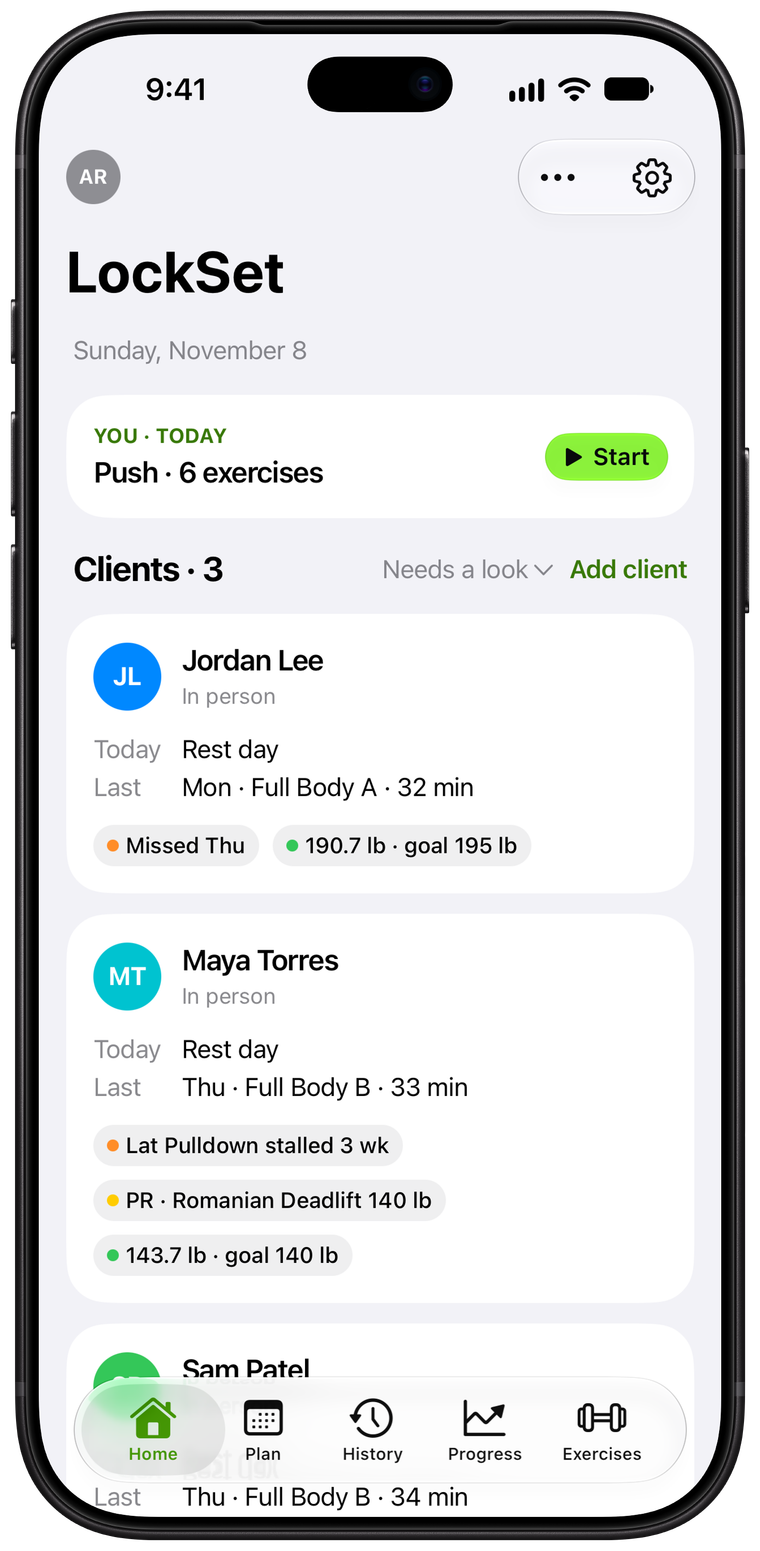
-
One log per client
History, Progress, records and the assistant’s review work on each client’s data, on your phone.
-
A card per client
Today’s session and the last one, with flags: a missed day, a stalled lift, a new PR, weight against the goal.
-
In person or paired
Log their sessions on your phone, or pair with theirs once with a QR code or an invite link.
-
Encrypted check-ins
Clients send what’s new as a file (WhatsApp, AirDrop, email) that only your phone can open. Your plan updates go back the same way.
-
They choose what’s shared
Workouts always; body weight, measurements and notes are switches. Progress photos only when you ask.
-
Free for clients
Your plan doesn’t count toward their 4 free routines.
-
One client free Pro
Up to 3 clients with Pro.
On your phone
LockSet works beyond the app, where your phone already is.
-
Live Activity and Dynamic Island
The whole session on the Lock Screen: the next set, a rest countdown and buttons to log.
-
Android live notification
Rest countdown and set logging from the notification and the Lock Screen, and a timer chip in the status bar with Live Updates.
-
Rest that rings
On iOS 26 and later, the end of a rest can ring like an alarm, even in silent mode or a Focus.
-
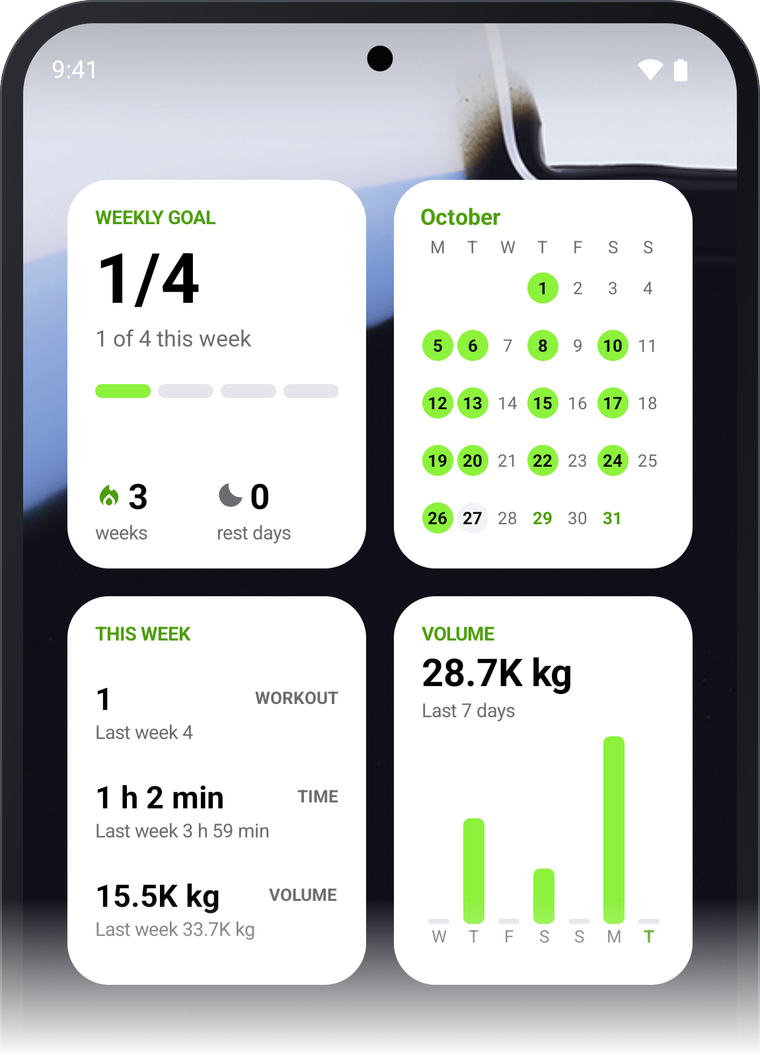
Eight widgets
Today, weekly goal, quick start (with your activity), calendar, volume, this week, routines and your gym card.
-
Controls
Start a workout, start a routine, log your weight or show your gym card from Control Center or the Action button (iOS 18).
-
Siri and Shortcuts
Start a workout, log an activity or your weight, hear your next workout, or ask for an estimated one-rep max, in English or Spanish.
-
Quick Settings and shortcuts
Tiles and launcher shortcuts on Android to start a workout or show your gym card.
-
Apple Health
Writes workouts and weigh-ins; reads body weight, body fat, heart rate and watch workouts. Each one is off until you allow it.
-
Health Connect
The same on Android: sessions, weigh-ins and active calories out; weight, body fat, heart rate and exercise in.
-
Reminders
On training days at your time, a nudge after a missed day that goes quiet after two, and body check-in reminders.
-
Gym check-in
Membership QR codes and barcodes from a scan or a photo, with the screen kept awake.
-
App lock
Face ID, a fingerprint or your passcode, right away or after a few minutes.
Your data
Yours to keep, move and delete. No account in the way.
-
Works fully offline
No network needed for anything but the optional AI assistant.
-
Export, always free
A JSON backup, a full backup with photos and videos, an encrypted backup, the database file, or your sets as a CSV for a spreadsheet.
-
Automatic backups
A dated copy each day you make changes, updated after each workout or routine change, the last 14 kept, encrypted if you like.
-
Restore anywhere
A backup restores on iPhone or Android, even from one to the other.
-
Import from other apps
Strong, Hevy, FitNotes, gravl, JEFIT, any CSV, and weigh-ins from Apple Health.
-
Units your way
kg or lb, km/h or mph, cm or inches. Switch any time.
-
English and Spanish
Follows your phone, or choose in Settings.
-
Light, dark and accents
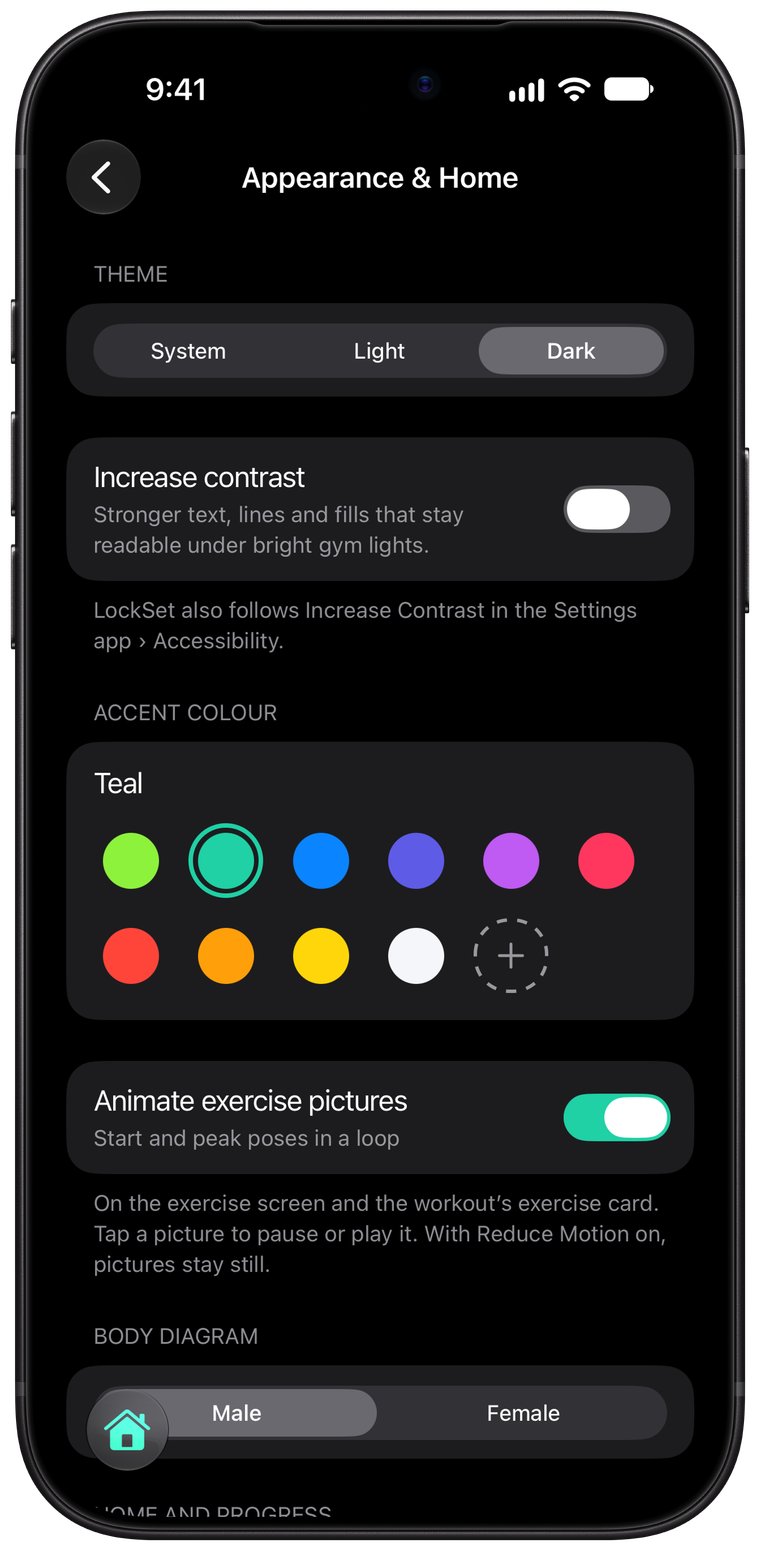
System, light or dark. Volt by default; nine other accents or up to six of your own with Pro.
-
Reset everything
Erases your log, photos, settings and AI keys on this device. It doesn’t delete automatic backups: they stay in their folder (On My iPhone › LockSet, iCloud Drive › LockSet, LockSet’s own storage or the folder you picked on Android) until you delete them there.
Make it yours
Your colours. Your layout. Your gym.
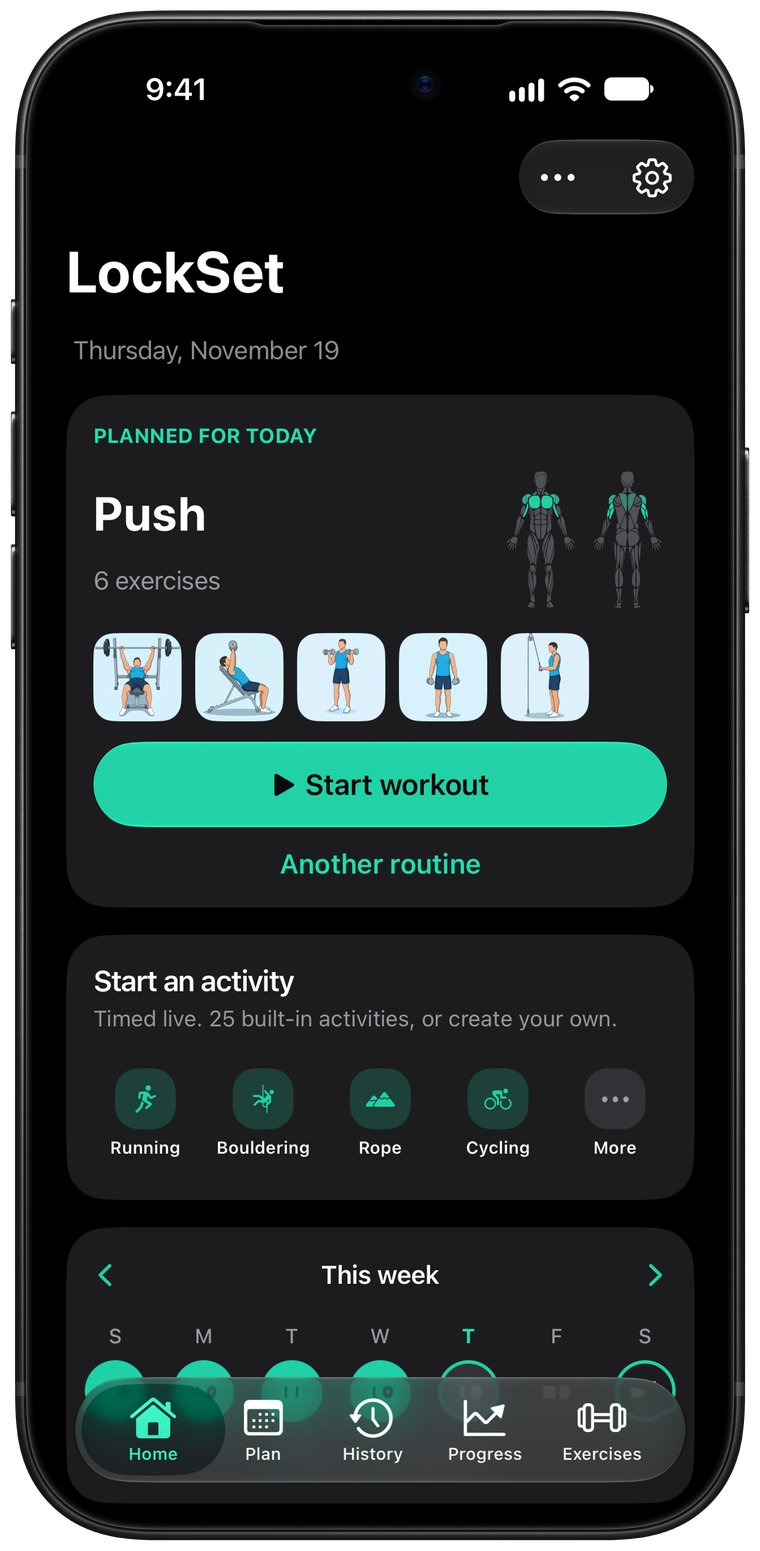
LockSet fits the way you train, from the cards on Home to the plates in your gym.
- Home your way Pick and order the cards on Home and Progress.
- Accent colours Pro Volt is free; nine more or up to six of your own with Pro, checked for contrast.
- Four workout layouts List, cards, compact, or focus: one set at a time.
- Left-handed The workout’s controls move to the left side.
- Units and language kg or lb, km or miles, cm or inches, in English or Spanish.
- Your plates and gyms Plates, bars and dumbbells per gym; more than one gym with Pro.
And everything else.
The details that matter between sets.
-
Eight widgets
Today, weekly goal, quick start, calendar, volume, this week, routines and your gym card.
-
Rest outside the app
Live Activity and the Dynamic Island on iPhone; a live notification and Live Updates on Android.
-
Rest that rings
On iOS 26 and later, the end of a rest can ring like an alarm, even in silent mode or a Focus.
-
Controls and Siri
Start a workout, log an activity or your weight from Control Center, the Action button or Siri. Quick Settings tiles on Android.
-
Apple Health and Health Connect
Workouts and weigh-ins go to Health if you allow it, and heart rate and your watch’s workouts come back.
-
Backups to your own cloud
A dated copy each day you make changes, updated after each workout, the last 14 kept: in your iCloud Drive, or a folder you pick on Android. Encrypted if you like.
-
Move to another phone
One file over AirDrop, Quick Share or any app, from iPhone to Android and back.
-
Import from other apps
Strong, Hevy, FitNotes, gravl, JEFIT or a CSV. You see a summary before anything is saved.
-
Streaks that forgive
A streak calendar, milestones and a month in review. Sick and travel weeks don’t break it.
-
Plan around your day
A time for each planned session, a reminder for each, and Add to calendar.
-
Gym check-in
Your membership QR code or barcode, from Home or a widget, at full brightness.
-
App lock and private photos
Face ID, a fingerprint or your passcode, and photos and videos encrypted on the device if you like.
On every device
iPhone, iPhone Duo, iPad, Android phones and Android tablets, each with its own layout.
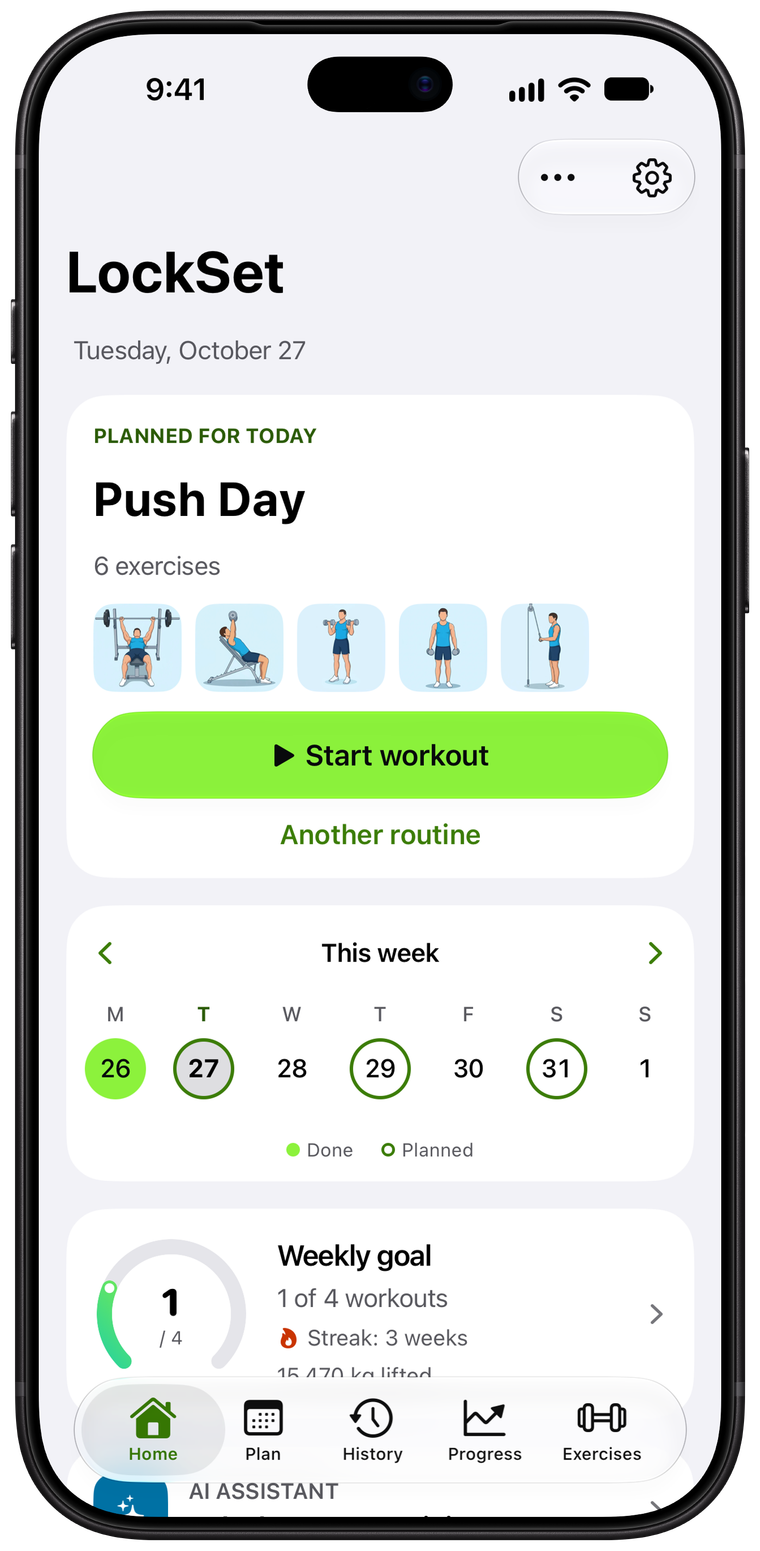
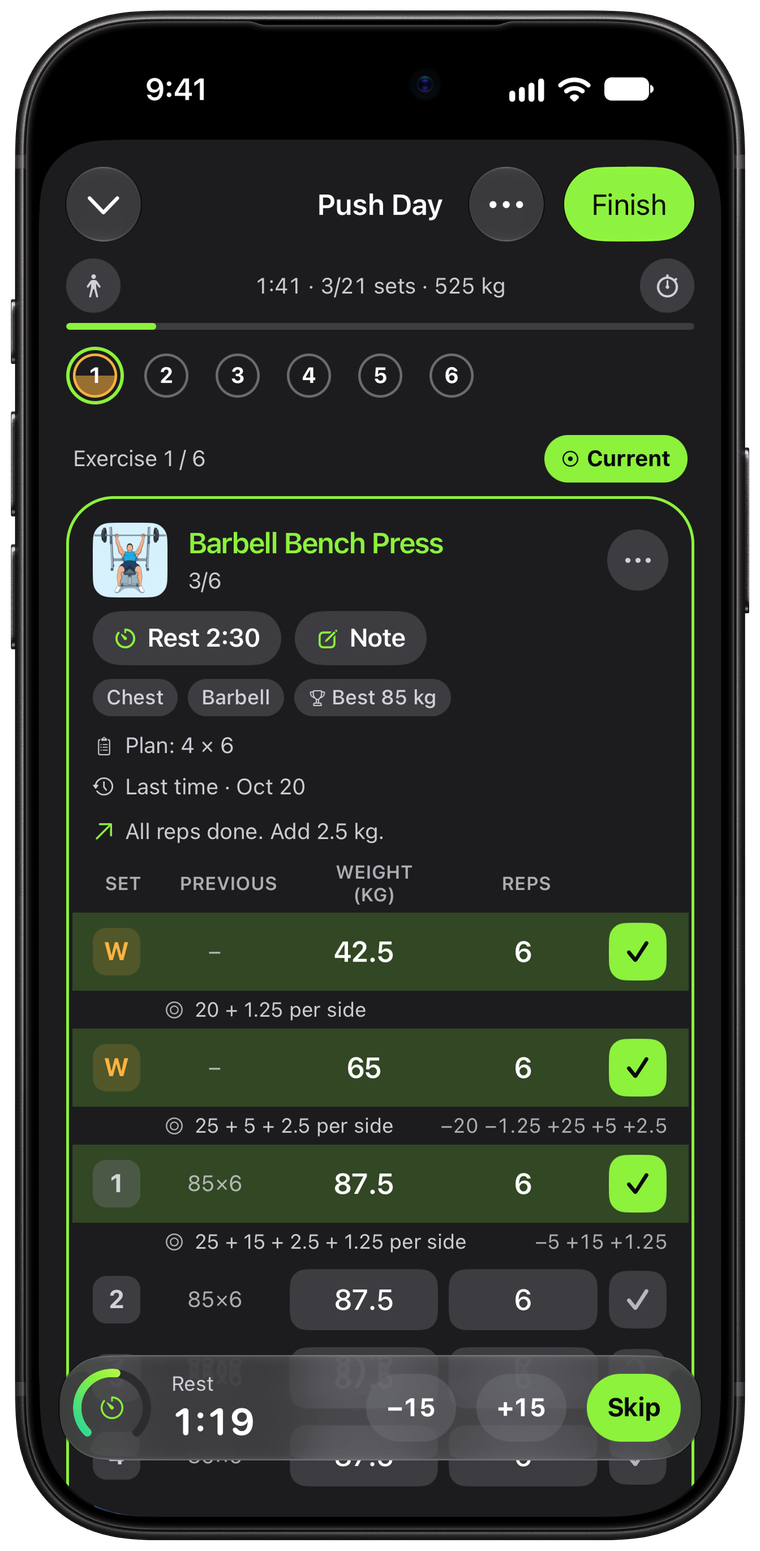
iPhone
Native iOS design with Liquid Glass. Start a workout from Siri, a widget or the Action button, and watch the rest timer on the Lock Screen.
- Live Activity and Dynamic Island
- Siri, Controls and widgets
- Apple Health
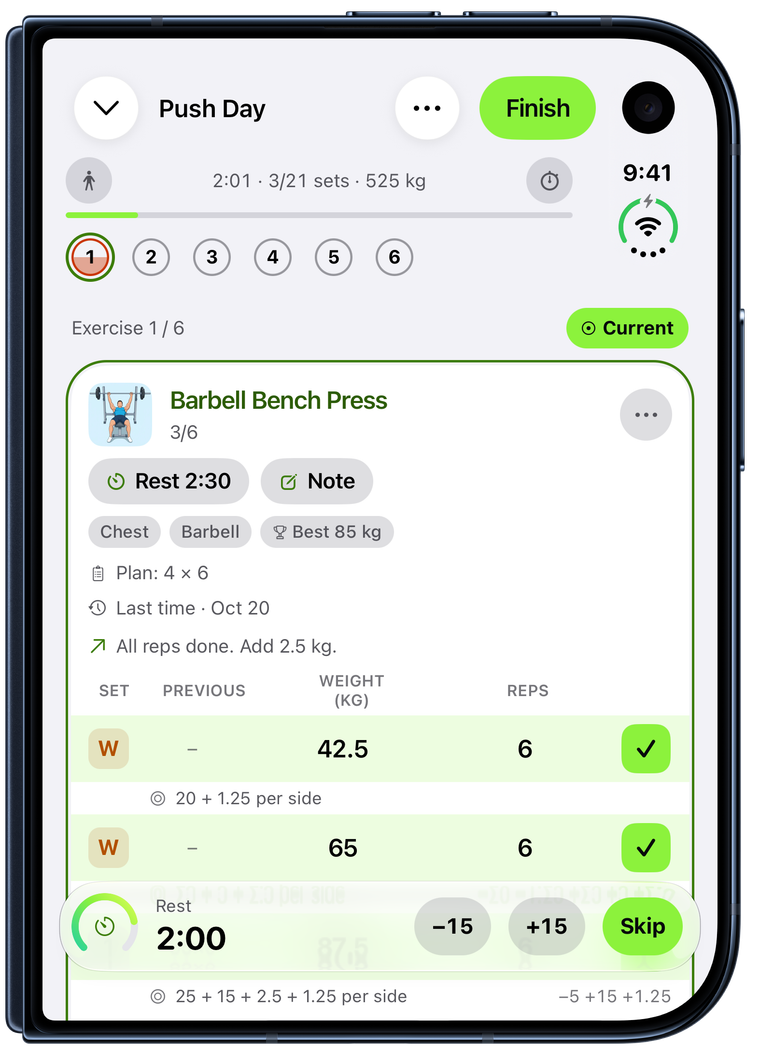
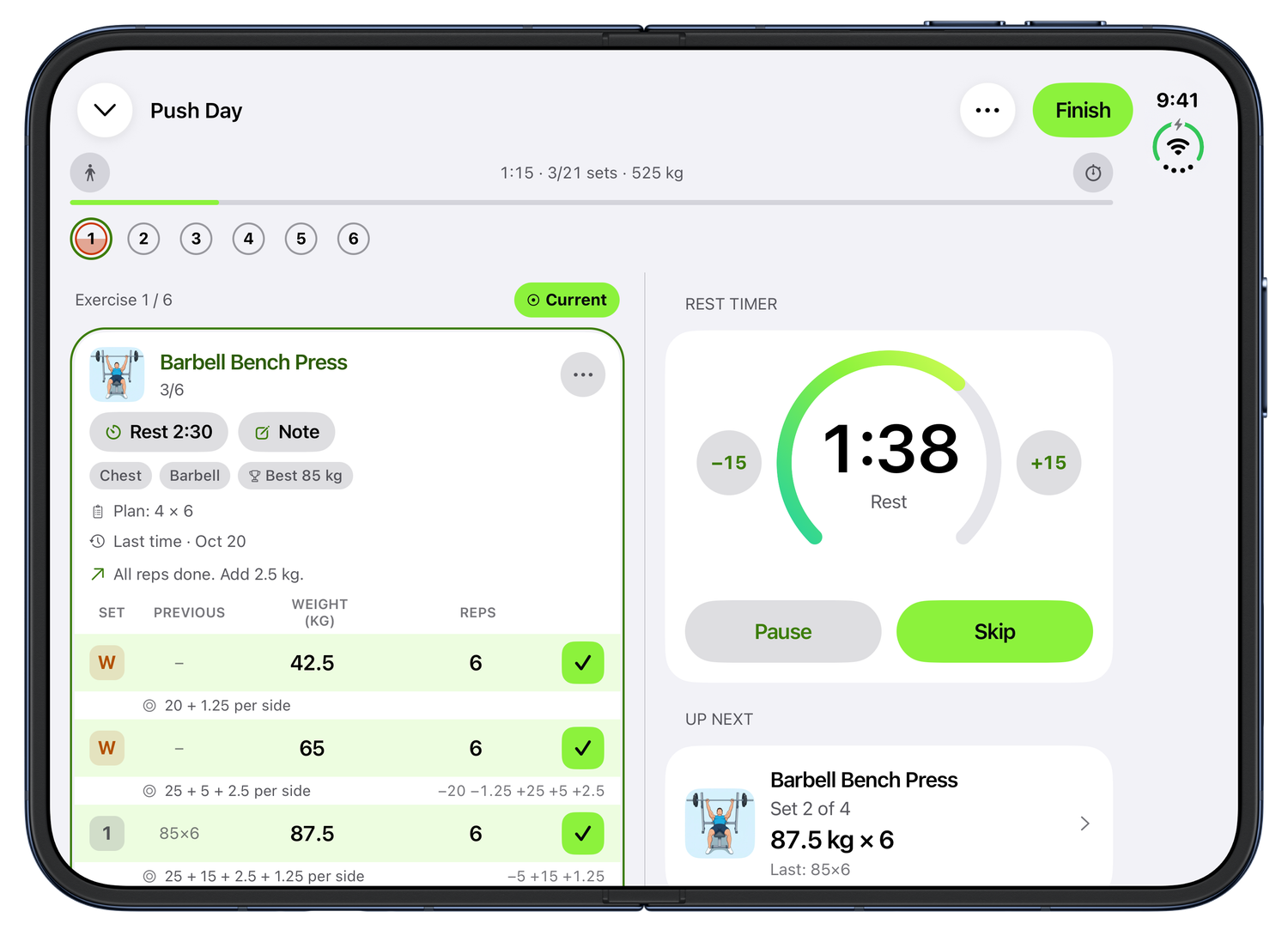
iPhone Duo, folded and open
Folded, it’s your iPhone. Open it in landscape and the workout gets a second column: the full-size rest timer and what’s up next, beside your sets.
- The workout with its session column
- Plan, History and Exercises as list and detail
- Home and Progress in two columns
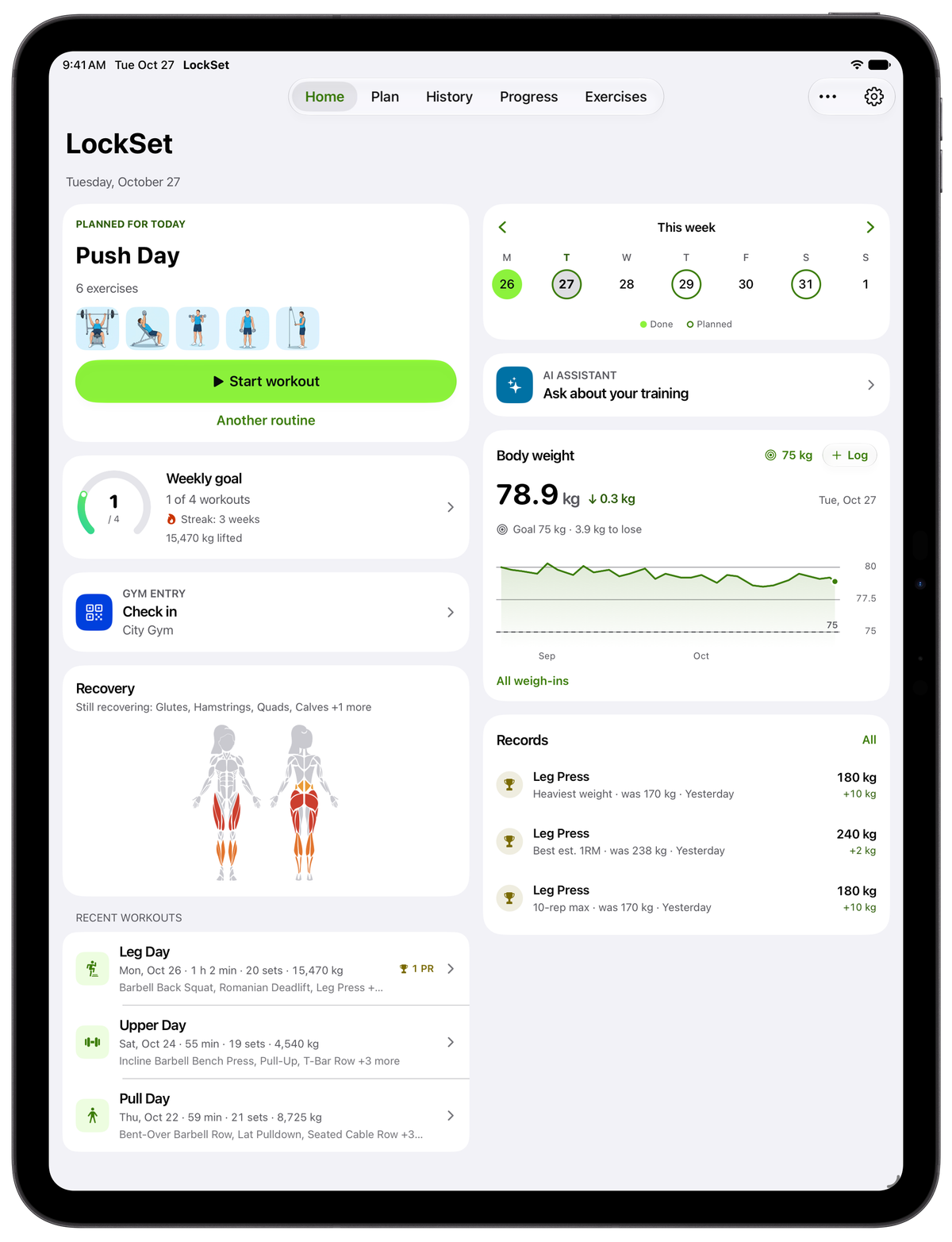
iPad
Two columns on Home and Progress, list and detail for your plan, history and exercises, and a session column beside the workout in landscape.
- Tab bar at the top
- Stage Manager and Split View
- Narrow windows get the phone layout
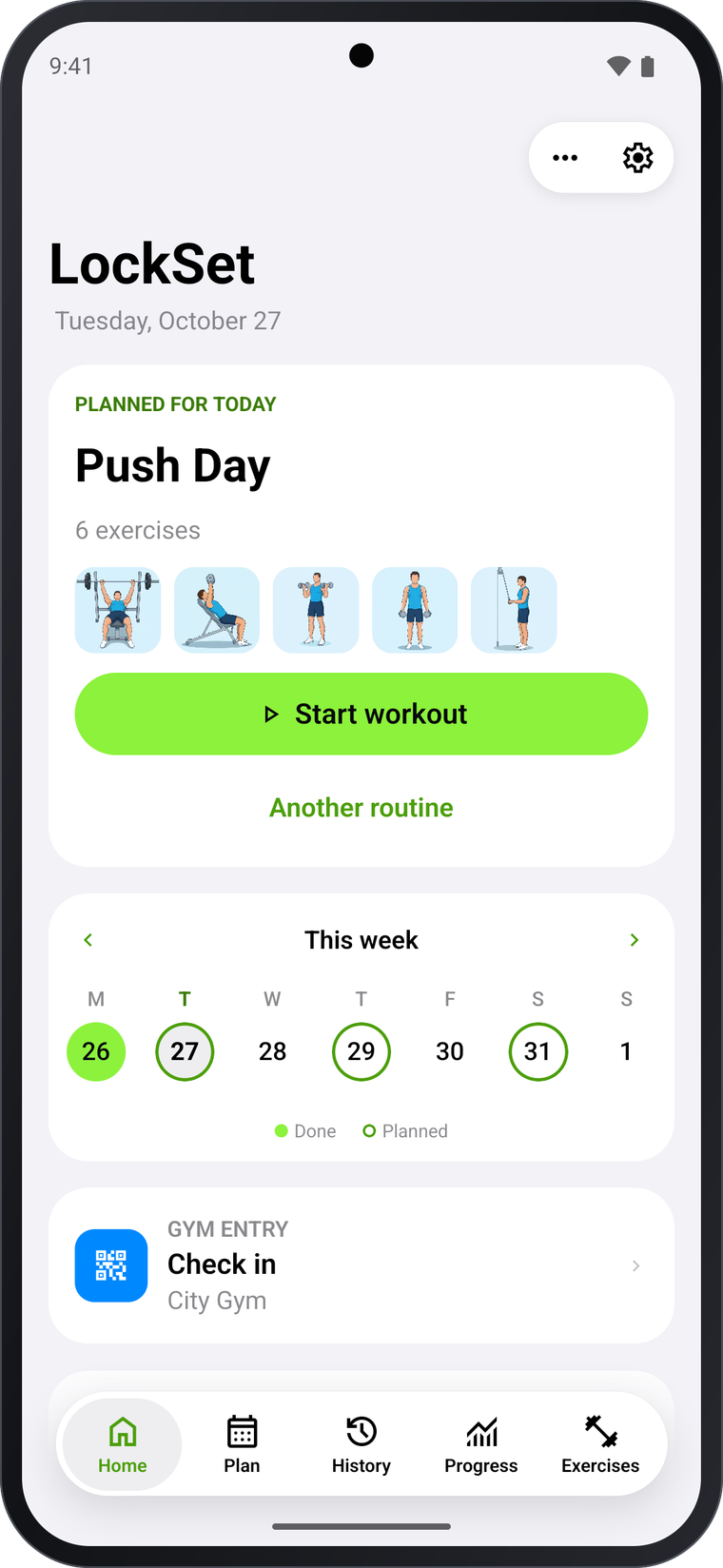
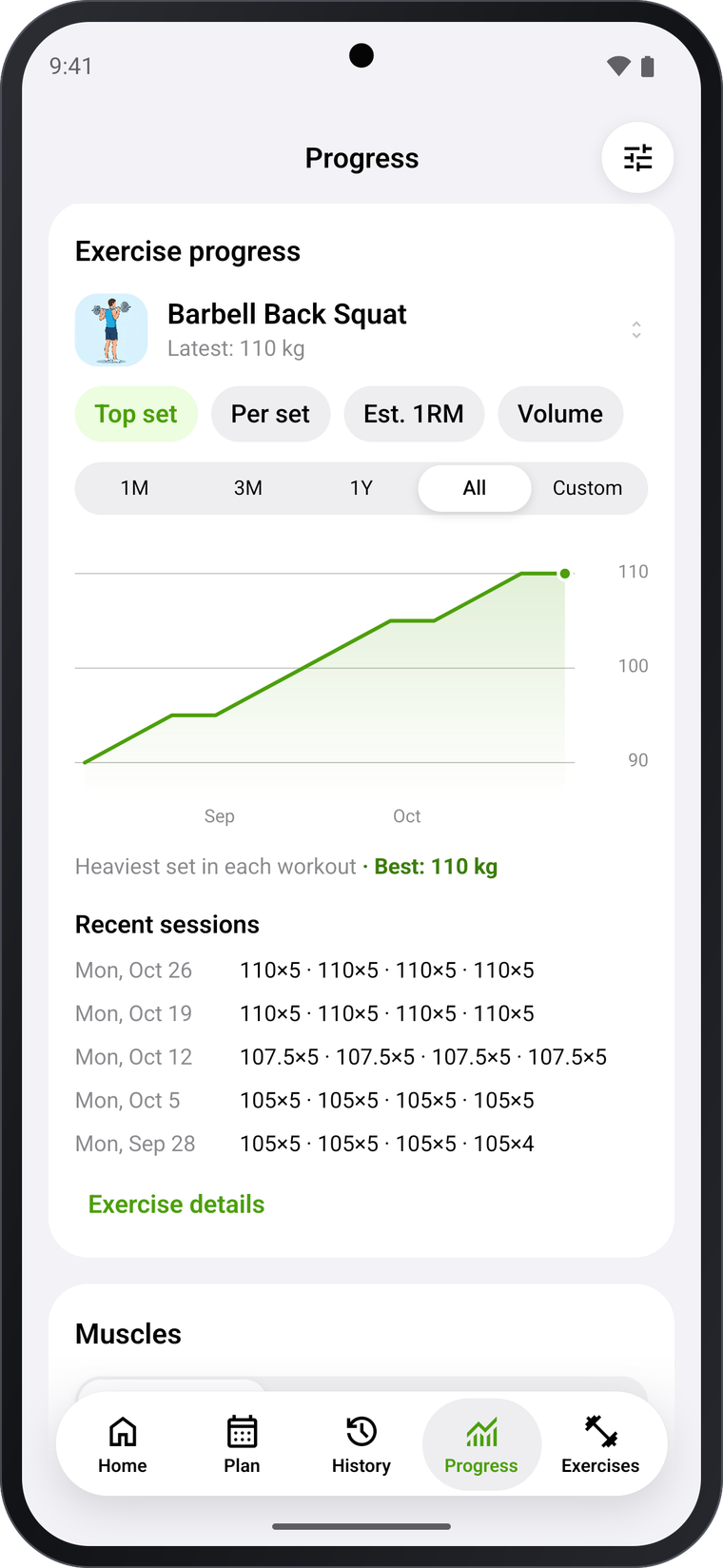
Android phones
The same app, made for Android: log sets and run the rest timer from a live notification, with widgets, Quick Settings tiles and Health Connect.
- Rest timer in the notification
- Widgets and Quick Settings tiles
- Health Connect
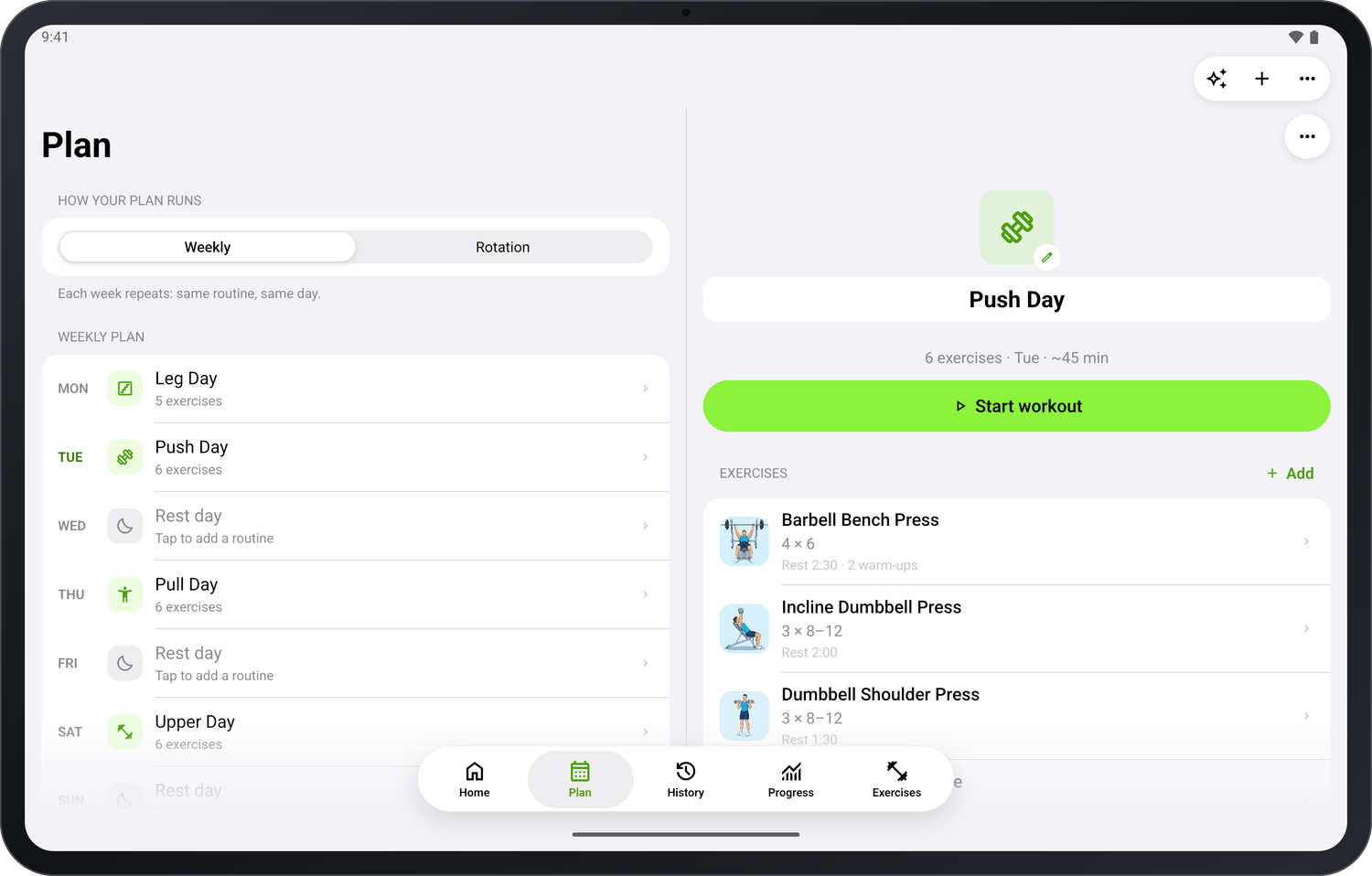
Android tablets
The same two-pane layouts as iPad, in portrait and landscape.
- List and detail side by side
- Home and Progress in two columns
- Rotates on large screens
Not yet
An Apple Watch app is in the works. LockSet doesn’t have a Wear OS app, sync between devices, or a web version yet. If one of these matters to you, say so: requests shape what comes next.